支援者获取作品方法/Guide to Accessing Subscriber Creations/支援者限定作品のダウンロード手順
STEP 01/第1步/ステップ 1
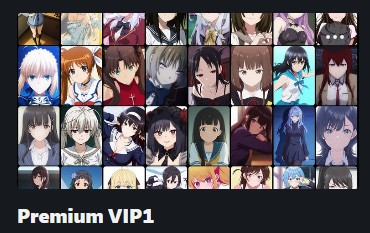
先选择一个你要订阅的档位哦/Select a subscription tier/支援プランを選択してください。
Select a subscription tier/支援プランを選択してください。
STEP 02/第2步/ステップ 2
订阅成功后,你会看到deviantart的感谢信页面,复制红色方框标记的网址,并粘贴到你的浏览器上,然后打开视频下载网站.
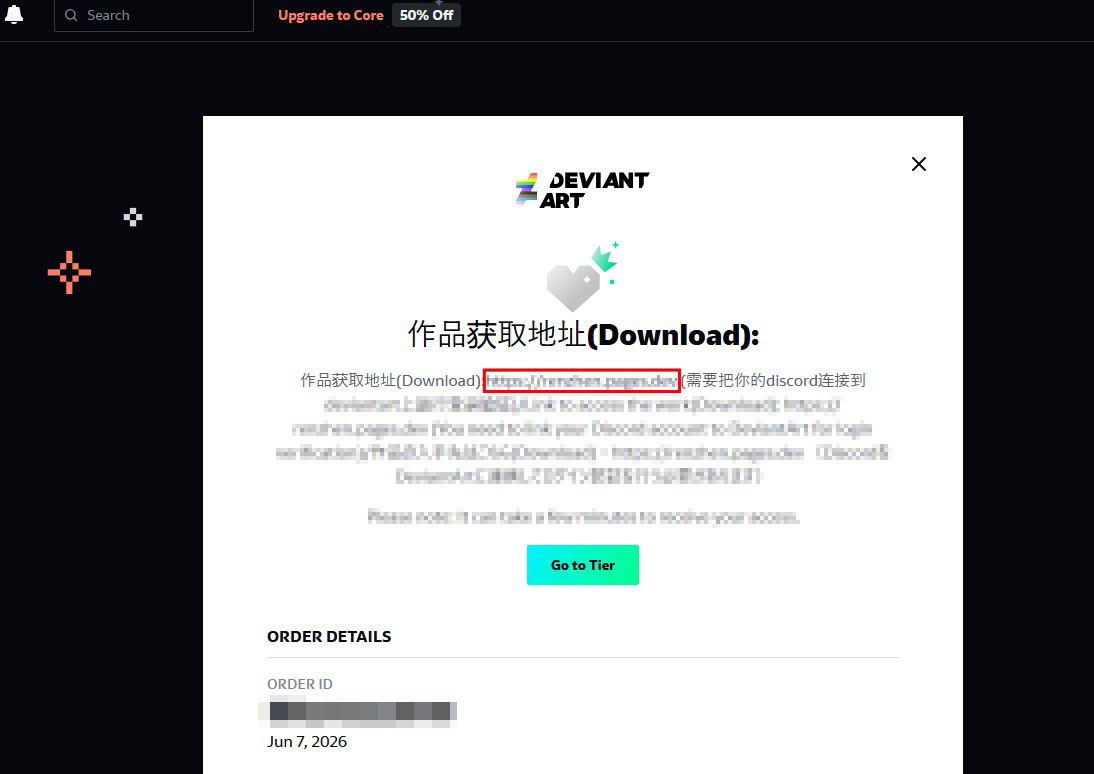
订阅成功后,你会看到deviantart的感谢信页面,复制红色方框标记的网址,并粘贴到你的浏览器上,然后打开视频下载网站.
After a successful subscription, DeviantArt will show a thank-you page. Copy the URL outlined in the red box, paste it into your browser, and access the creation downloader
購読(サブスクリプション)が完了すると、DeviantArtのサンクスページが表示されます。赤枠で囲まれたURLをコピーしてブラウザに貼り付け、作品ダウンロードサイトを開いてください。
STEP 03/第3步/ステップ 3
打开网站后,点击红色方框标记的Discord链接,并登录你的discord账号(如果你没有discord账号,需要注册一个哦).
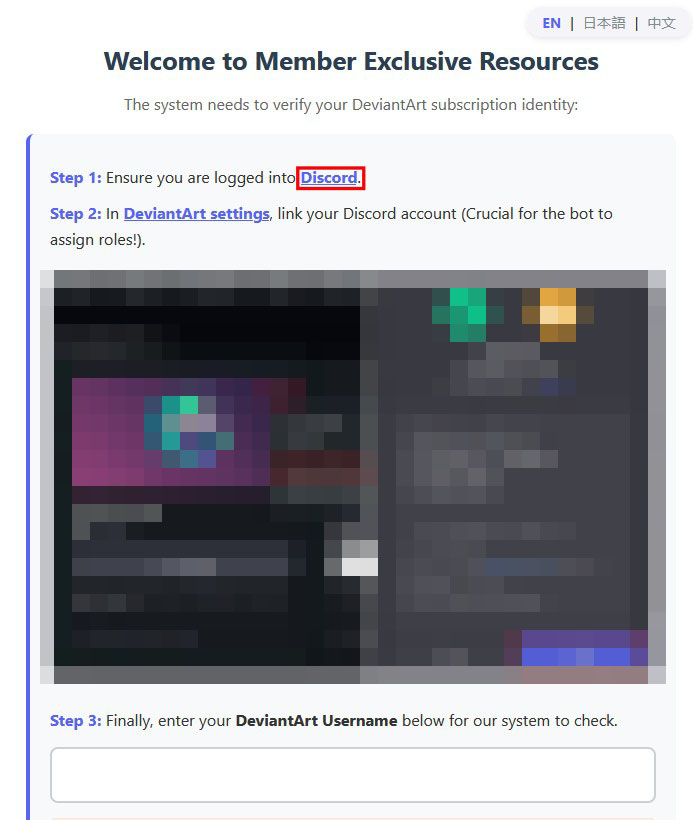
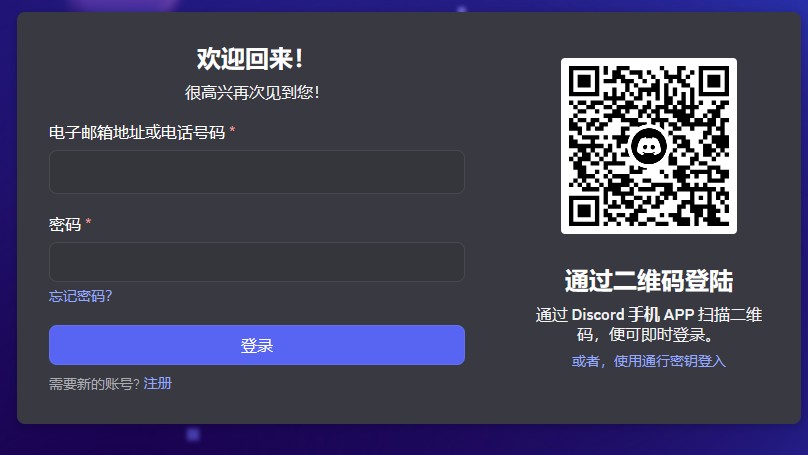
打开网站后,点击红色方框标记的Discord链接,并登录你的discord账号(如果你没有discord账号,需要注册一个哦).
Once the site opens, click the Discord link highlighted in the red box and log in to your Discord account. (If you don't have one, you'll need to sign up.)
サイトが開いたら、赤枠で囲まれたDiscordのリンクをクリックし、Discordアカウントにログインしてください(アカウントをお持ちでない場合は、新規登録が必要です)
STEP 04/第4步/ステップ 4
当你成功登录discord账号后,回到deviantart订阅页面,并点击红色方框标记的按钮,在弹出菜单里点击"Connect to Discord"按钮,并在之后的弹出菜单里记得授权同意哦.
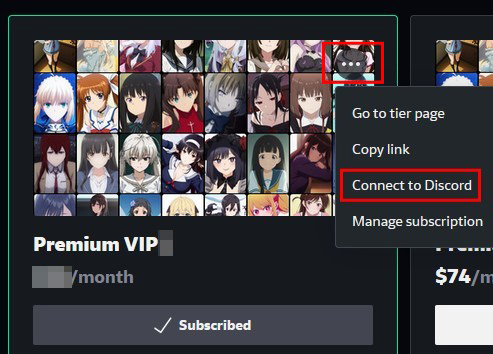
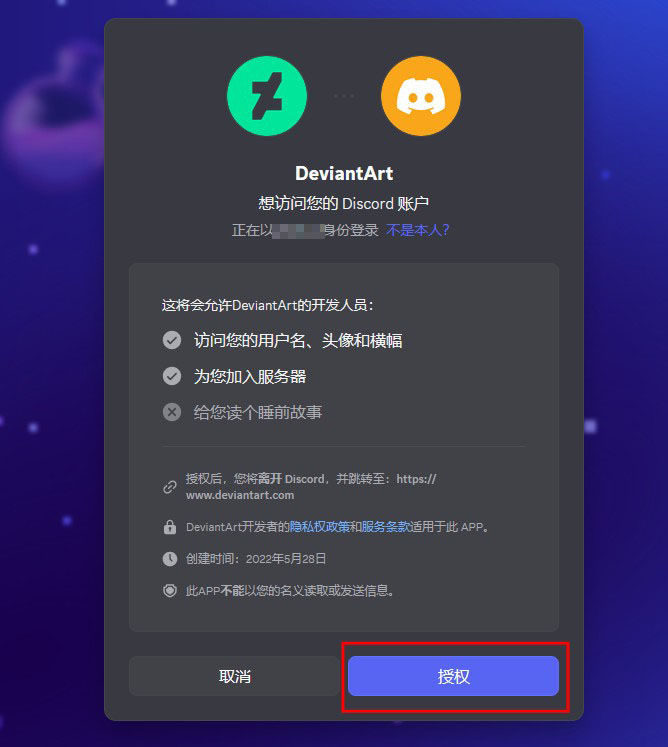
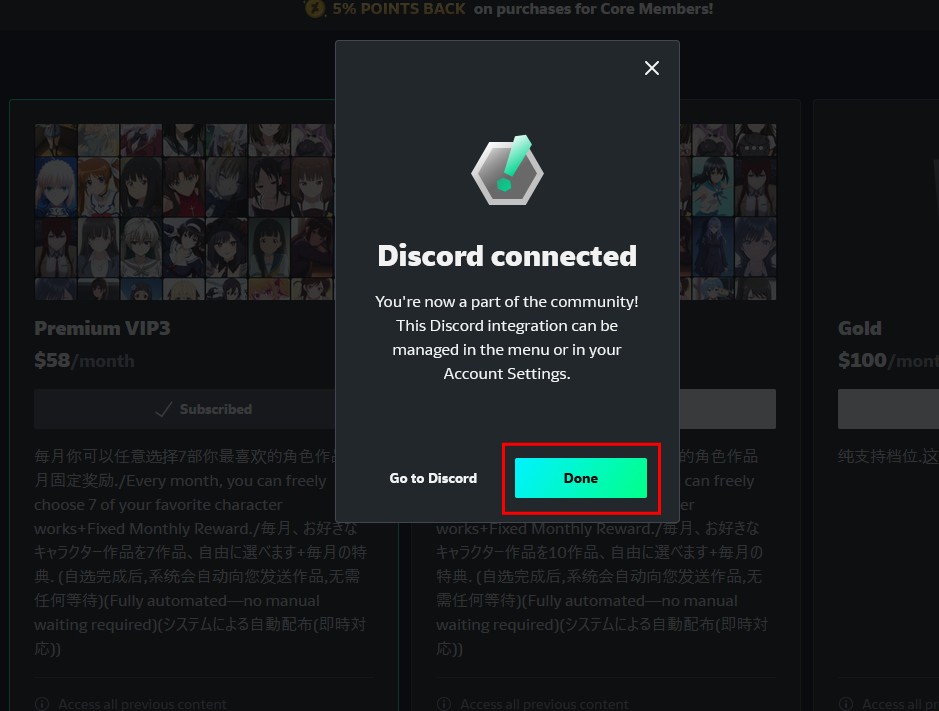
当你成功登录discord账号后,回到deviantart订阅页面,并点击红色方框标记的按钮,在弹出菜单里点击"Connect to Discord"按钮,并在之后的弹出菜单里记得授权同意哦.
After logging into Discord, go back to the DeviantArt subscription page and click the button highlighted in the red box. Select "Connect to Discord" from the pop-up menu, and then click "Authorize" in the next window.
Discordへのログインが完了したら、DeviantArtの購読(支援)ページに戻り、赤枠で囲まれたボタンをクリックしてください。ポップアップメニューから「Connect to Discord」をクリックし、その後に表示される画面で「認証(連携の承認)」を行ってください。
STEP 05/第5步/ステップ 5
回到视频下载网站,输入你的deviantart用户名,并点击登录,在之后弹出的菜单里也要授权同意哦.

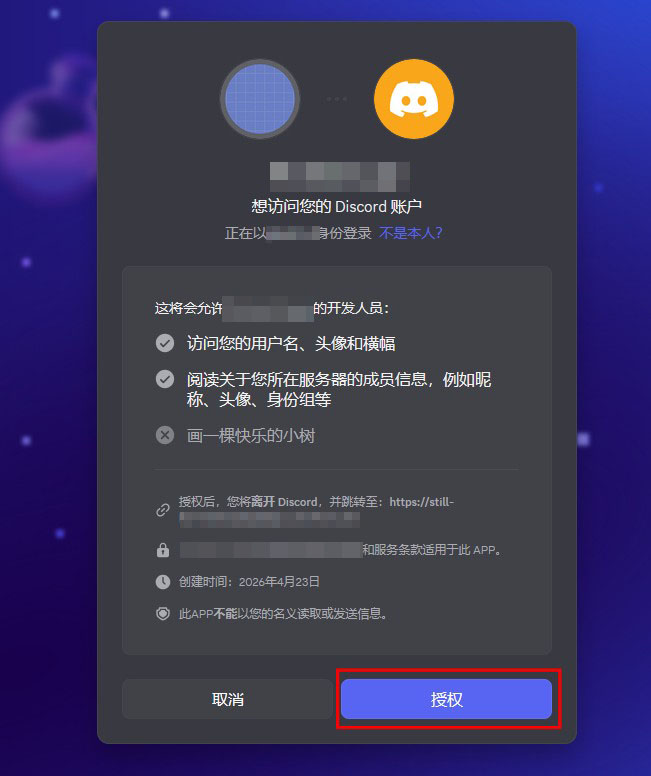
回到视频下载网站,输入你的deviantart用户名,并点击登录,在之后弹出的菜单里也要授权同意哦.
Go back to the creation download site, enter your DeviantArt username, and click log in. In the pop-up window that appears next, click "Authorize" to grant permission.
作品ダウンロードサイトに戻り、DeviantArtのユーザー名を入力してログインをクリックしてください。その後表示されるポップアップ画面で、アクセスを許可(認証)してください。
STEP 06/第6步/ステップ 6
登录成功后,会进入视频下载页面,你就可以下载当月所有作品了哦!